Sweep theMoonWIKI
Roblox Wiki

Sweep The Moon Wiki

Last updated:

Sweep The Moon is a Roblox cleaning game where you collect lunar dust, sell it for Cash, and upgrade your equipment. This Wiki covers tools, vehicles, automation, crew benefits, and reaching 100% Moon Cleaned.

Sweep The Moon official artwork
Gameplay video

Game overview

Genre
Simulation
Visits
2M+
Favorites
25K+
Creator
DomBlox Games
Release date
2026-10-23
Game updated
2026-11-08

Browse the Wiki

Codes

No codes are currently reported active. 2 codes have unconfirmed status.

Featured codeUnconfirmed

25KMEMBERS

Reward

Reward not specified.

Featured codeUnconfirmed

500KVISITS

Reward

Reward not specified.

The full collection

Looking for more codes?

Browse all listed codes, check rewards and requirements, and follow the redemption guide.
Getting Started

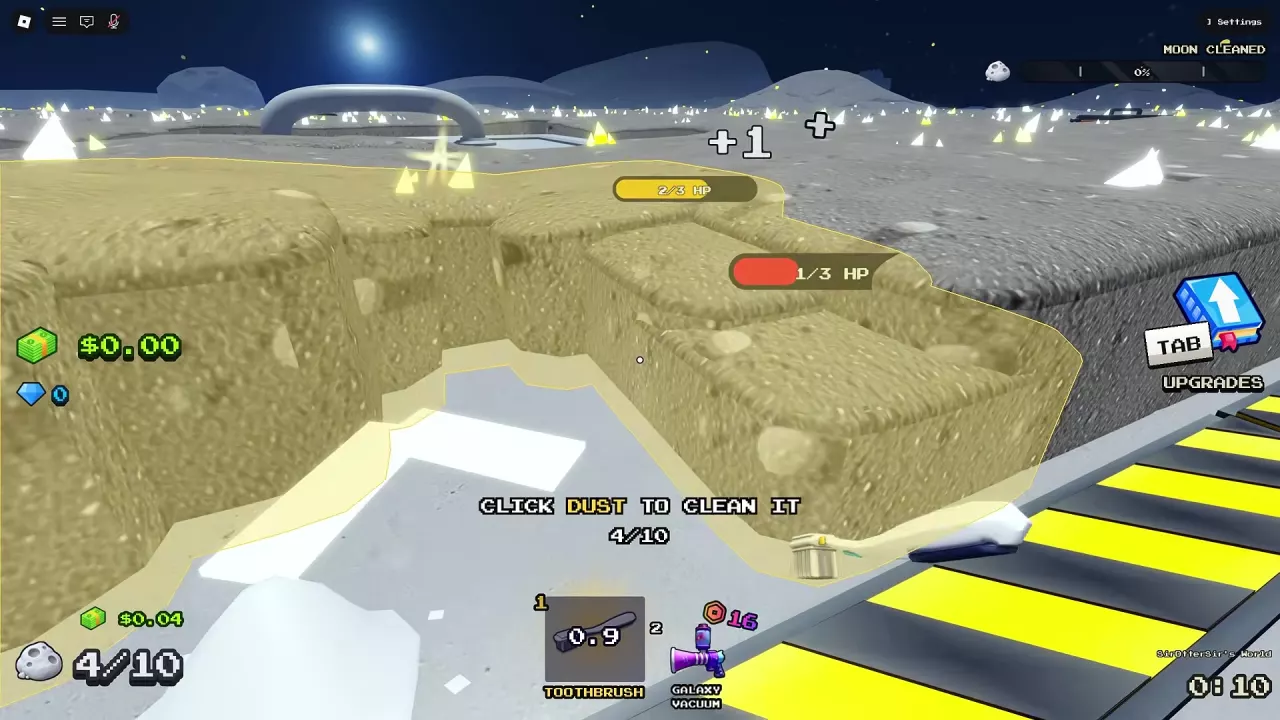
The Toothbrush equipped while a highlighted patch of lunar dust is being cleaned.

Sweep The Moon Beginner Guide: Controls and First Purchases

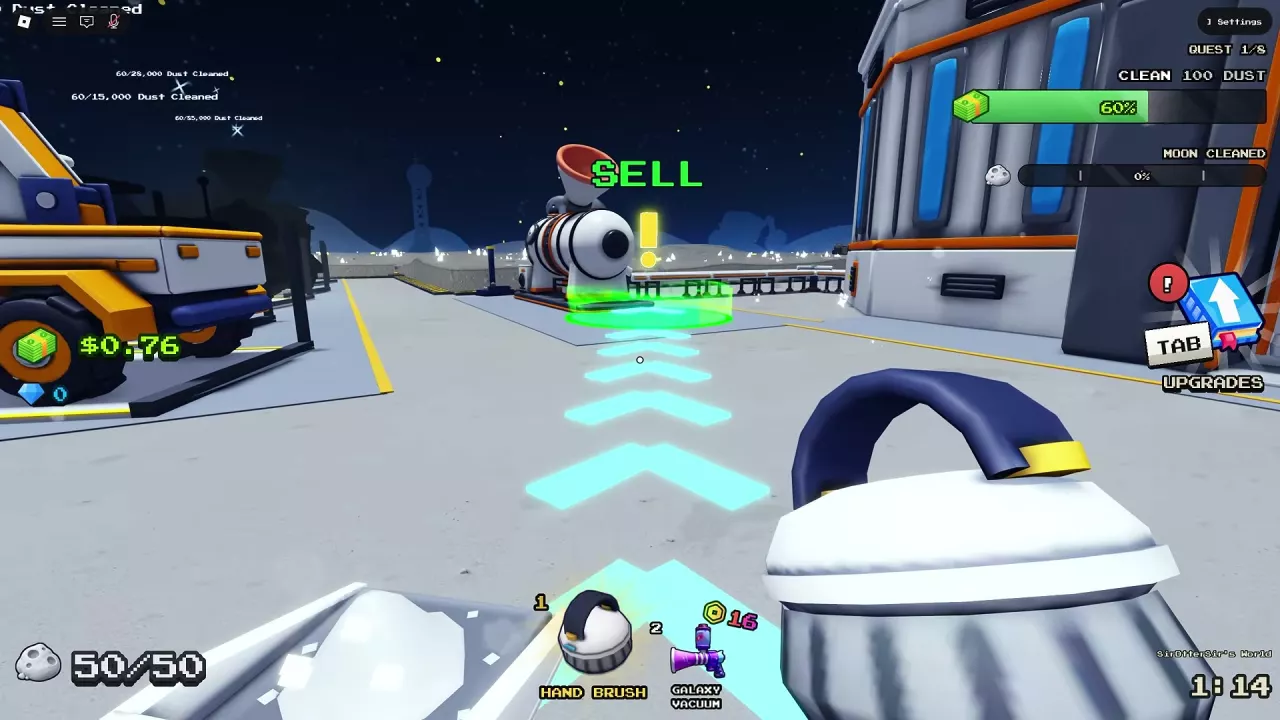
  1. Equip the Toothbrush. Select hotbar slot 1 and click lunar dust. Your unupgraded starting container holds 10 Dust.
  2. Empty your container. When full, follow the arrows to the green SELL area and stay until your stored Dust empties.
  3. Spend your Cash. Follow the guidance into GEAR / TOOLS and buy the Hand Brush for 0.01 Cash, then keep cleaning and selling to fund equipment.

Controls: Press E for the nearby interaction shown on screen, Tab to open Upgrades, and F to exit a vehicle.
Cleaning Mechanics

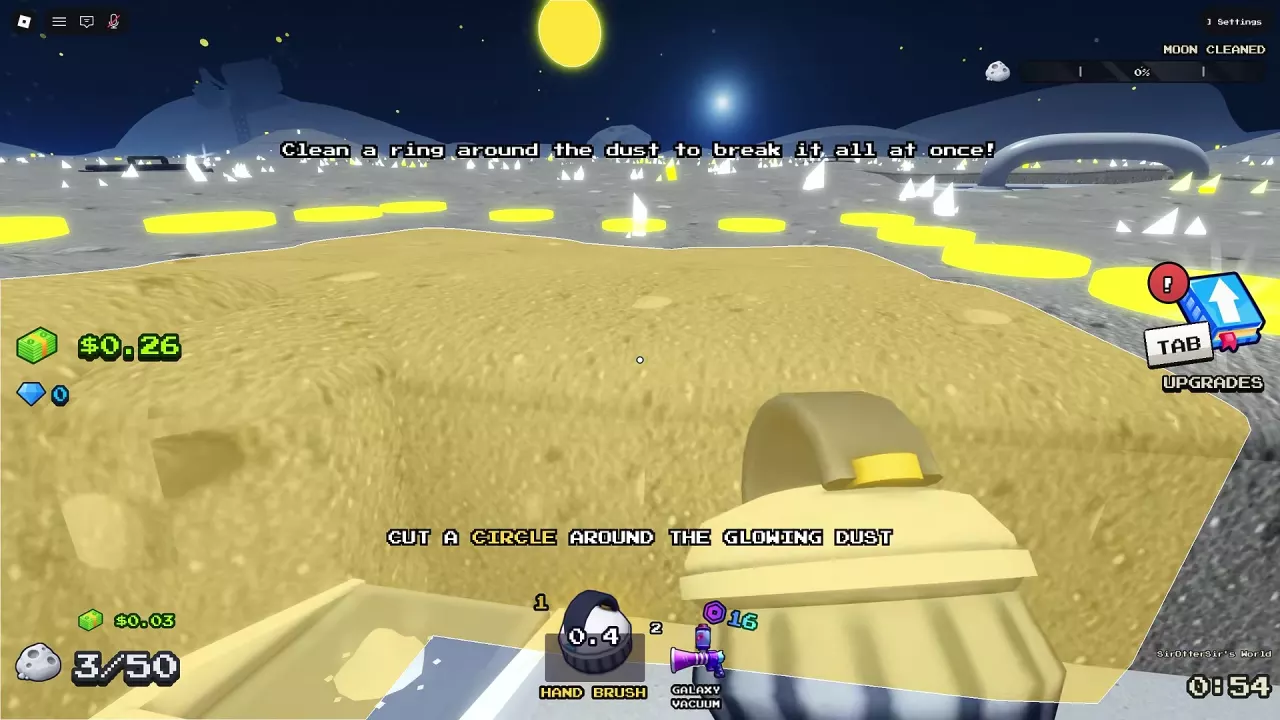
Yellow marks outline a glowing dust patch during the Hand Brush tutorial.

Sweep The Moon Cleaning Guide: Break Islands and Clear Faster

Close a cleared loop around dust to remove the entire enclosed patch. Equip a handheld tool, clear a continuous path around the outside, and connect its end to its beginning. ISLAND BROKEN! signals that the enclosed dust has cleared.
  • Sweep Width: Tiles covered by each cleaning action; increase it for broader passes.
  • Power: Dust layers removed per action; increase it when thick dust takes repeated passes.
  • Stroke Speed: Time between strokes; a shorter interval means faster actions.

Tools

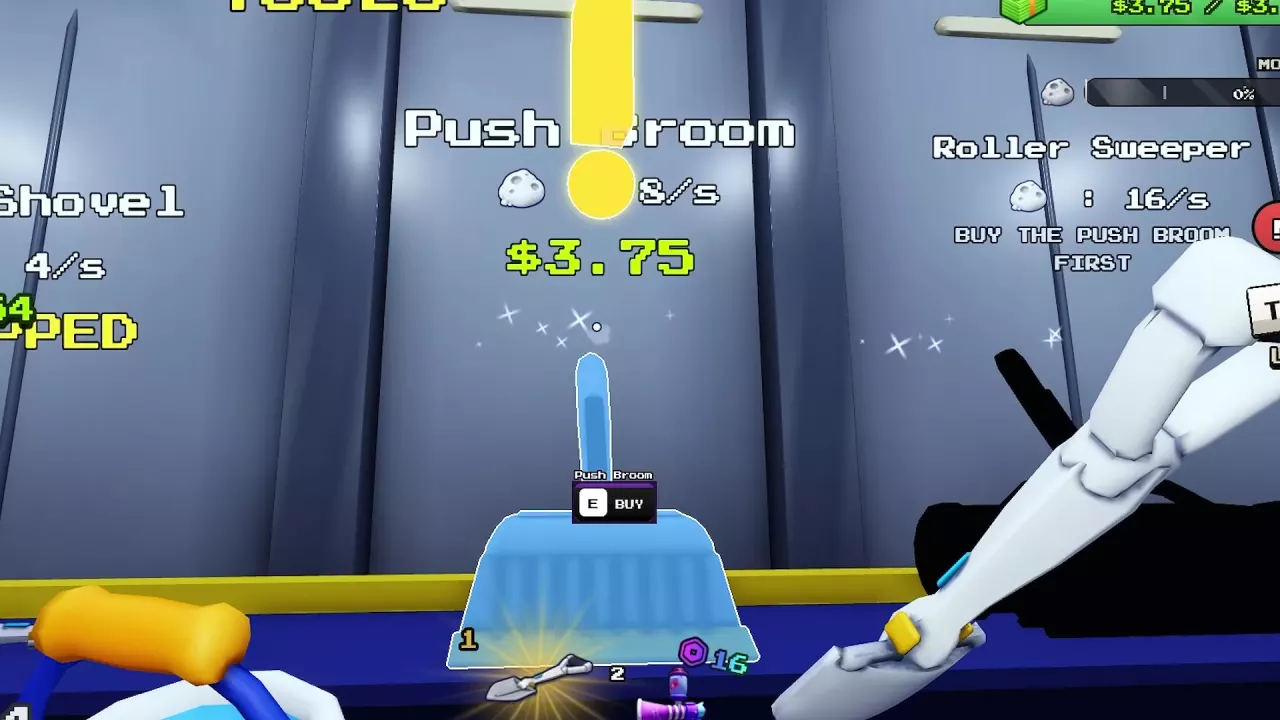
Push Broom's E BUY prompt beside Roller Sweeper's requirement to buy Push Broom first.

Sweep The Moon Tools: Prices, Upgrades and What to Buy

  • Push Broom → Roller Sweeper: Buy the 3.75 Cash Push Broom first to unlock the 15 Cash Roller Sweeper. Their shop-listed cleaning rates are 8 dust/s and 16 dust/s, respectively.
  • Turbo Vac: Costs 800 Cash and lists 40 dust/s, but pauses for cooldown. Its Overheat Time upgrade shortens the time it stops working: 10 → 7 seconds costs 3.75 Cash.

Carrying capacity is separate from your tool. A cooled-down vacuum still cannot collect into a full container; empty it at SELL.

Canisters

Sweep The Moon Canisters: Capacity, Purchases and Upgrades

  • Pan: 0.50 Cash for 50 Dust capacity—a cheap increase when full containers keep interrupting your route.
  • Bucket: 3.50 Cash for 125 Dust capacity.
  • Later purchases: Buy Sack before Crate, then Crate before Barrel. Their listed capacities are 300, 500, and 1,000 Dust, respectively.

Purchased Infinite Capacity needs equipping. Interact with its glowing orb at the base; the capacity limit displays ∞ when active. Return to the orb and press E — UNEQUIP to remove it. The permanent Infinite Canister pass is a separate purchase option.
Vehicles

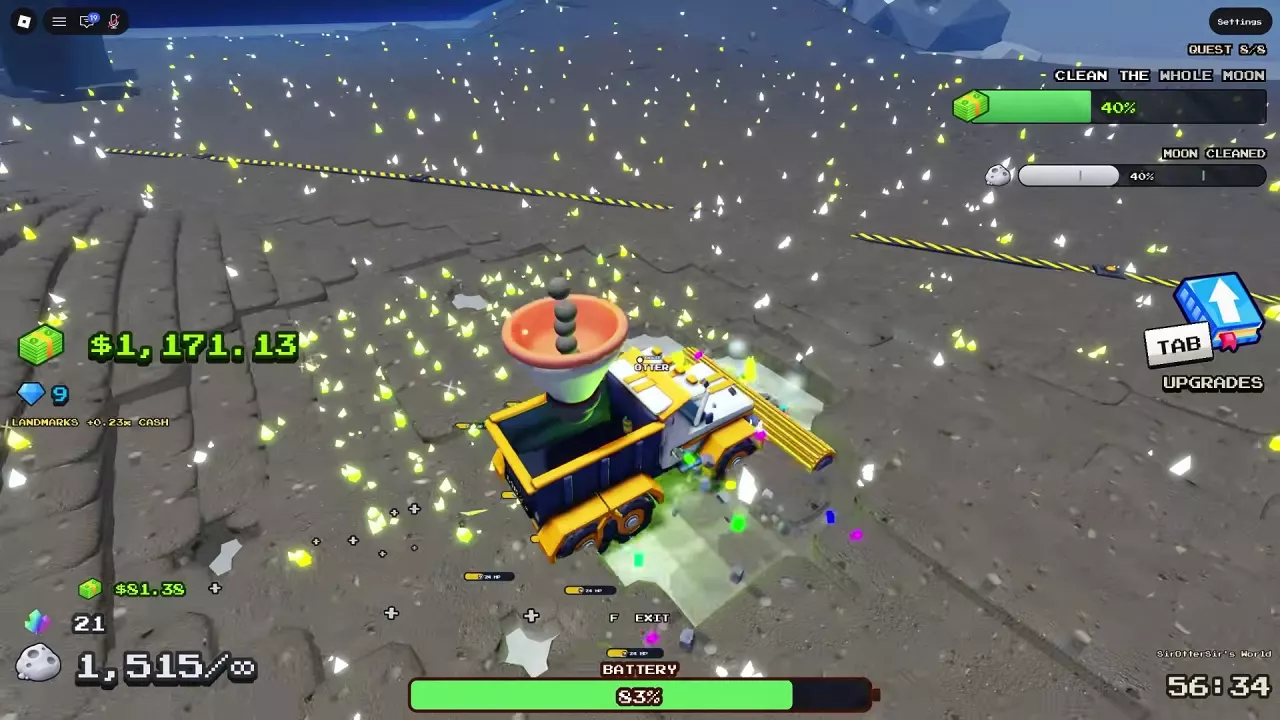
Dust Carrier sweeping lunar dust with unlimited storage and a visible battery meter.

Sweep The Moon Vehicles: Prices, Unlocks and Best Uses

  • Junk Hauler — early driving: Costs 10 Cash and carries dust separately from your personal container.
  • Cleaning Rover — next purchase stage: Displays a 15,000 Dust Cleaned target and costs 320 Cash for the current run. Its starting bin holds 1,000 dust.
  • Dust Carrier — storage and conversion: Requires buying Turbo Sweeper first. Its 4,600 Cash current-run purchase provides unlimited storage and a converting hopper. It still uses battery, and conversion can involve waiting.
  • Cleaning UFO — rocky terrain: After its unlock notification, buy it for 20,000 Cash for the current run. It hovers over rocks and hills, but its 10,000-dust starting bin still needs unloading.
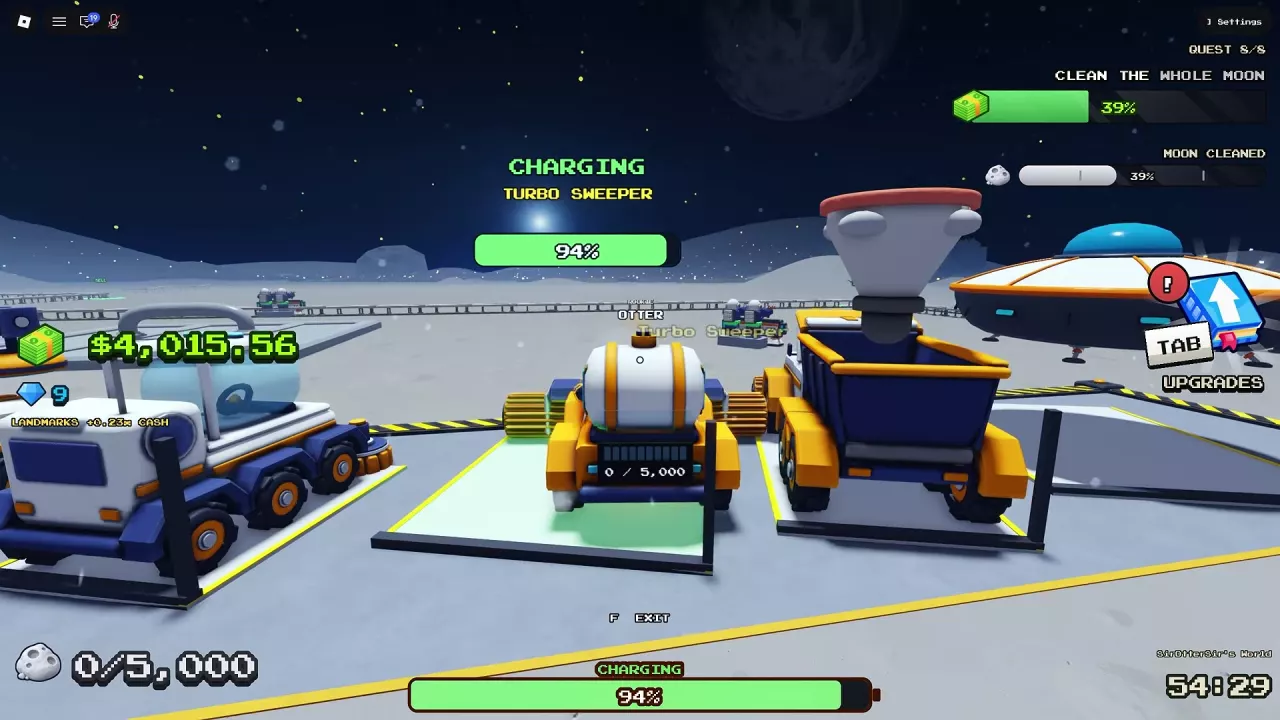
Turbo Sweeper parked in its base bay with CHARGING and a 94% battery indicator.

Sweep The Moon Vehicle Guide: Unloading, Charging and Upgrades

Watch the vehicle’s own bin and battery indicators; its storage is separate from your personal container.
  • Unload finite bins: Take Junk Hauler to the SELL area beside the Lunar Converter. Rover can use SELL pads or Dust Carrier; Turbo Sweeper can use conveyor SELL pads; Cleaning UFO can use a SELL pad or Dust Carrier. Wait for the vehicle’s stored dust to drop before leaving.
  • Recharge: Return Junk Hauler, Cleaning Rover, Turbo Sweeper, or Dust Carrier to its corresponding base bay or charging area. CHARGING and a rising battery percentage confirm charging.
  • Upgrade: Open Tab → Upgrades → Vehicles. Choose Bin Size for frequent full-bin stops or Battery for frequent charging trips. Battery values describe driving duration, not charging time.

Robots

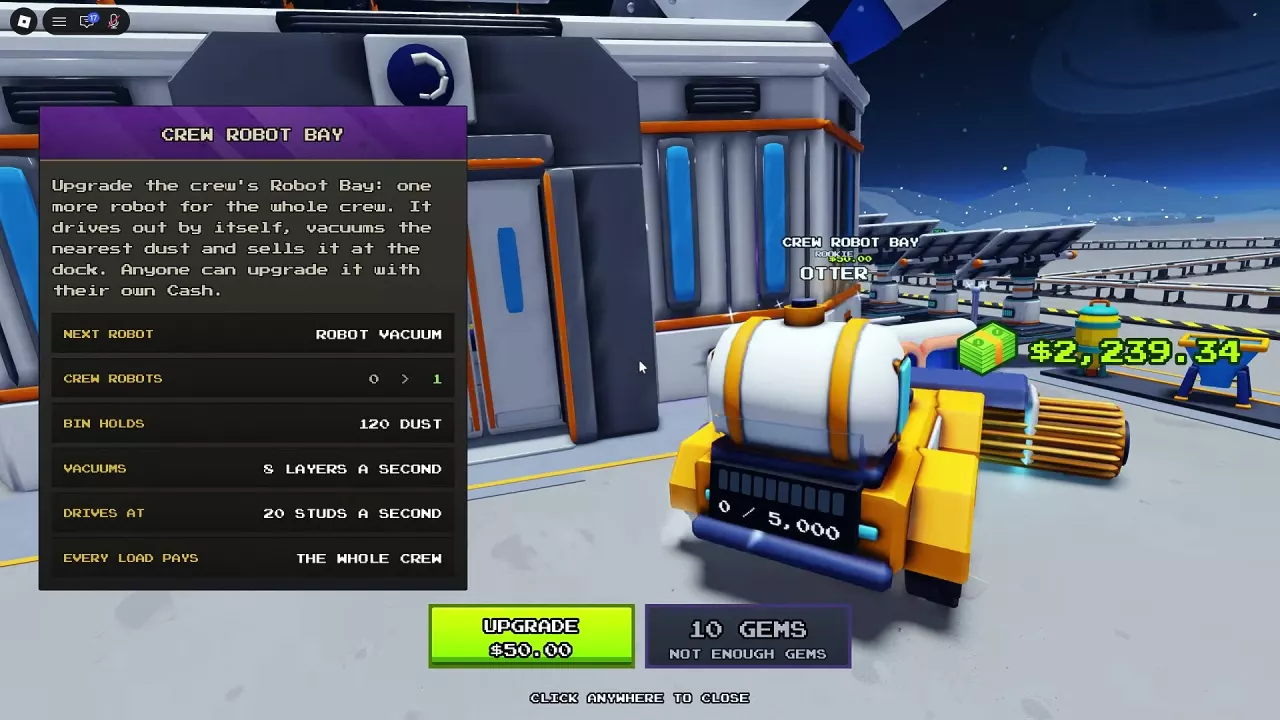
Crew Robot Bay menu with the first robot's $50 upgrade button and shared payout description.

Sweep The Moon Robots: Crew Bay, Merchant Units and Deployment

  • Crew Robot Bay: Outside the base, press E and choose UPGRADE. The first Robot Vacuum costs 50 Cash; each upgrade adds one shared robot, up to eight. They automatically collect dust, return to their dock, and sell their loads for the whole crew. No hotbar placement is needed.
  • Hotbar robots: Select an acquired deployable robot and place it on moon dust to start cleaning. Merchant units use click to place; pressing the same hotbar key again cancels placement before deployment.

The +1 Robot Dock pass supplies a separate placeable dock; it is different from expanding Crew Robot Bay.
Drones

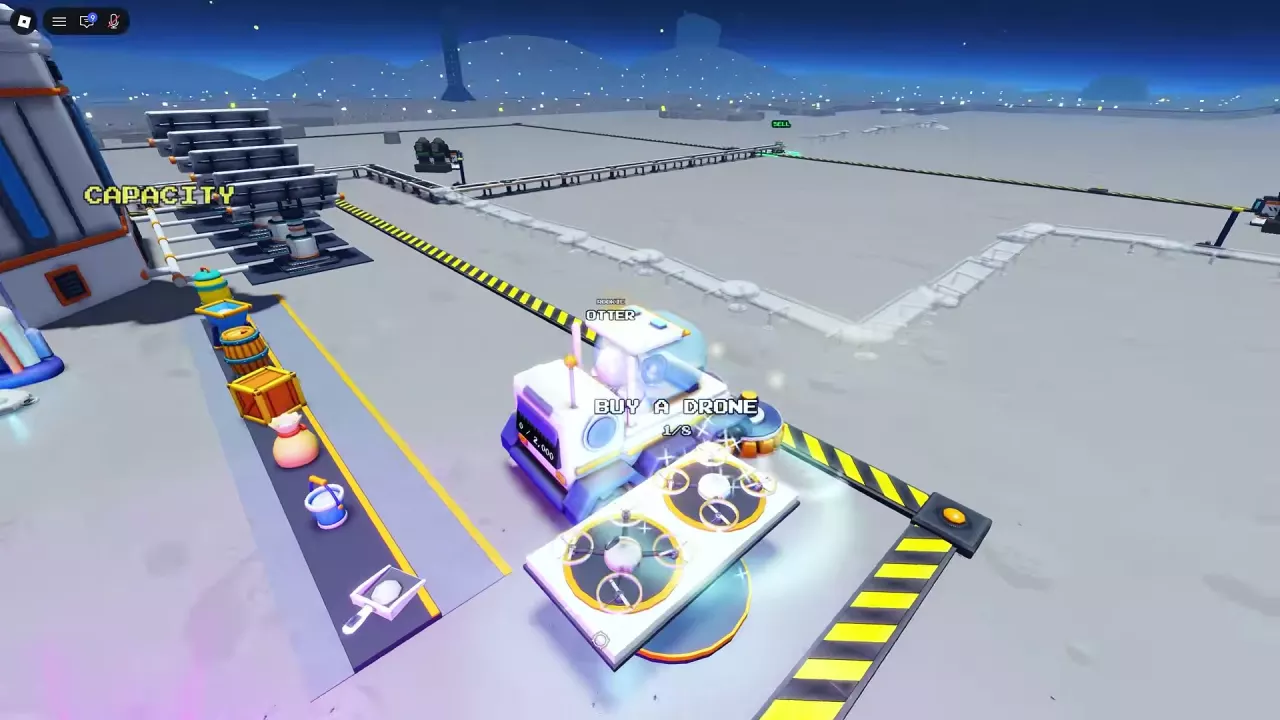
BUY A DRONE sign and drone pad at the base

Sweep The Moon Drones: Crew Pad, Prices and Best Uses

  • Shared crew income: Buy the first Dust Drone for 200 Cash at BUY A DRONE. Expand through Crew Drone Pad to a maximum of eight. Crew drones return to the pad to sell, paying the whole team.
  • Cash-priced flying cleaner: When Meteor Merchant stocks it, Dust Vac Drone costs 28 Cash and vacuums along its flight path.
  • Broad-area cleaning: The merchant’s Mothership Drone costs 80 Robux and cleans with three accompanying helper drones, when available.

Merchant purchases enter your hotbar. Select the drone and click a dusty area to deploy it.
Conveyors

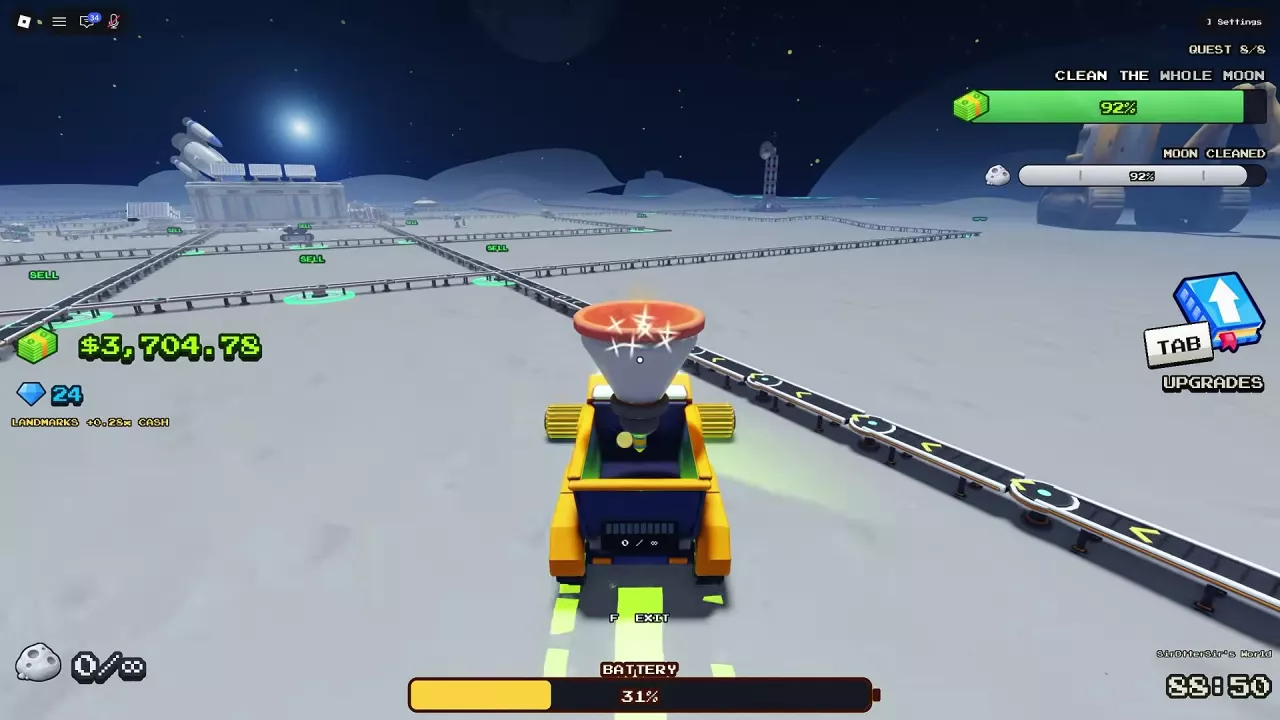
Connected conveyor routes with multiple green SELL pads around the lunar base.

Sweep The Moon Conveyors: SELL Pads, Extensions and Speed

Extend for closer unloading; upgrade speed for faster delivery. Buying a directional conveyor gives you a remote SELL pad that sends unloaded dust toward the Lunar Converter.

  • Long unloading trips: Press E at an owned conveyor’s SELL point and buy an extension. It adds a SELL pad at the new end; full-length routes can connect to neighboring conveyors. Compare the extension’s displayed delivery time as well as its reach.
  • Slow-moving dust: Open Tab → Upgrades → General → Conveyor Speed. The 3 → 5 studs/s upgrade costs 9 Cash.

Automation

BUY A DRONE entrance at the crew's drone pad

Sweep The Moon Automation Setup: Robots, Drones and Dust Flow

Crew collectors and conveyor unloading work alongside each other. Robots return to their dock to sell; drones return to their pad. They do not need a conveyor connection. Conveyor SELL pads support the dust you unload while cleaning by hand or with a supported vehicle.
  • Fill the gaps: Manually clear residual patches between automated cleaners’ routes.
  • Dust delayed on belts: Improve Conveyor Speed.
  • Dust already waiting at the converter: Improve Convert Time. Adding more collectors does not resolve that processing queue.

Processing Machines

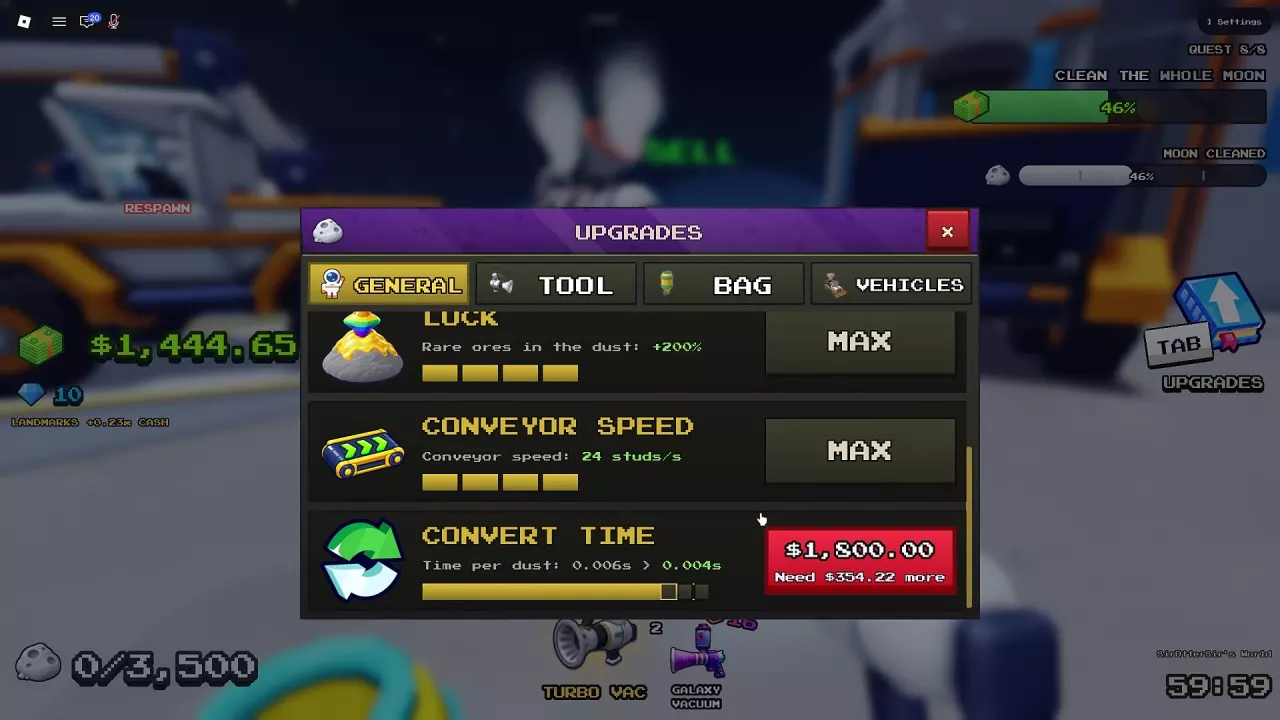
CONVERT TIME upgrade in the General menu, showing 0.006 to 0.004 seconds per dust for $1,800.

Sweep The Moon Dust Processing: Machines and Lunar Converter

Lunar Converter packages incoming raw dust into capsules for sale, paying the crew.
  • Upgrade processing: Press E beside the machine, or open Tab → UPGRADES → GENERAL → CONVERT TIME. The Level 1 → 2 upgrade costs 0.25 Cash, reducing processing time from 0.5 to 0.42 seconds per dust.
  • Restore a damaged machine: When HOLD E TO REPAIR is available, hold E until repair succeeds. If repairs are unavailable during a Goblin Raid, wait for retreat before trying again. The damaged machine also displays an automatic-repair countdown.

Upgrades

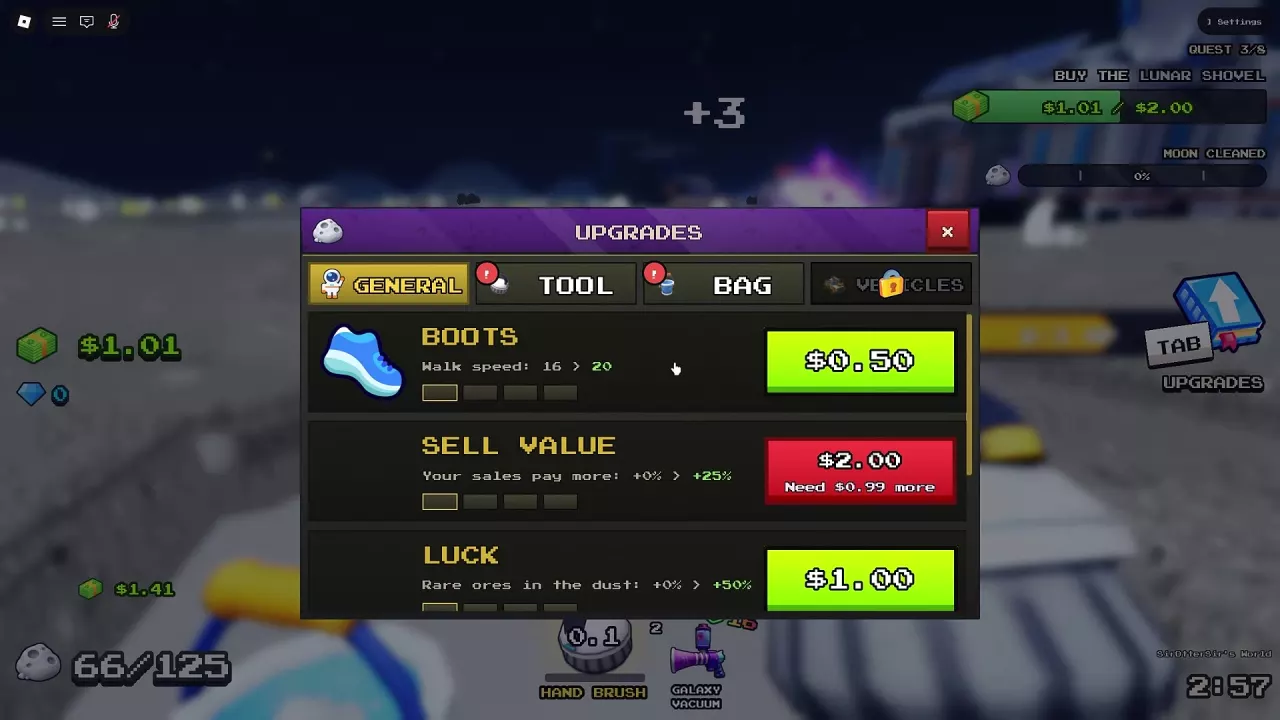
General upgrade menu with category tabs, stat changes, and purchase buttons.

Sweep The Moon Upgrades: Priorities, Luck, Sell Value and Movement

Press Tab and spend on what interrupts your work most often:
  • Frequent full containers: Choose Bag capacity.
  • Long walks: Choose Boots in General.
  • Repeated cleaning passes: Choose the relevant Tool upgrade—Power for layers, Sweep Width for coverage, or Stroke Speed for shorter waits between strokes.
  • More sale income: Sell Value starts at 2 Cash for 0% → +25% and reaches +150% at MAX. This is a sale bonus, not a bonus to every income source.
  • Rare ore finds: Luck reaches a +200% rare ore bonus at MAX. That is a bonus, not a 200% absolute drop chance.

Money & Gems

Floor arrows lead a player with full storage to the green SELL area at the base.

Sweep The Moon Money Guide: Selling Dust and Growing Income

Wait in the green SELL area until your storage empties. Cash can continue arriving afterward: unloaded dust may still be traveling to the Lunar Converter or waiting for processing.

  • Dust still on a belt: Transport is the delay; improve conveyor speed.
  • Dust queued at the machine: Check Waiting Now and improve Convert Time.
  • Converter damaged: Restore it with the available repair interaction.

An empty container frees you to resume cleaning while the remaining transport and processing finish.
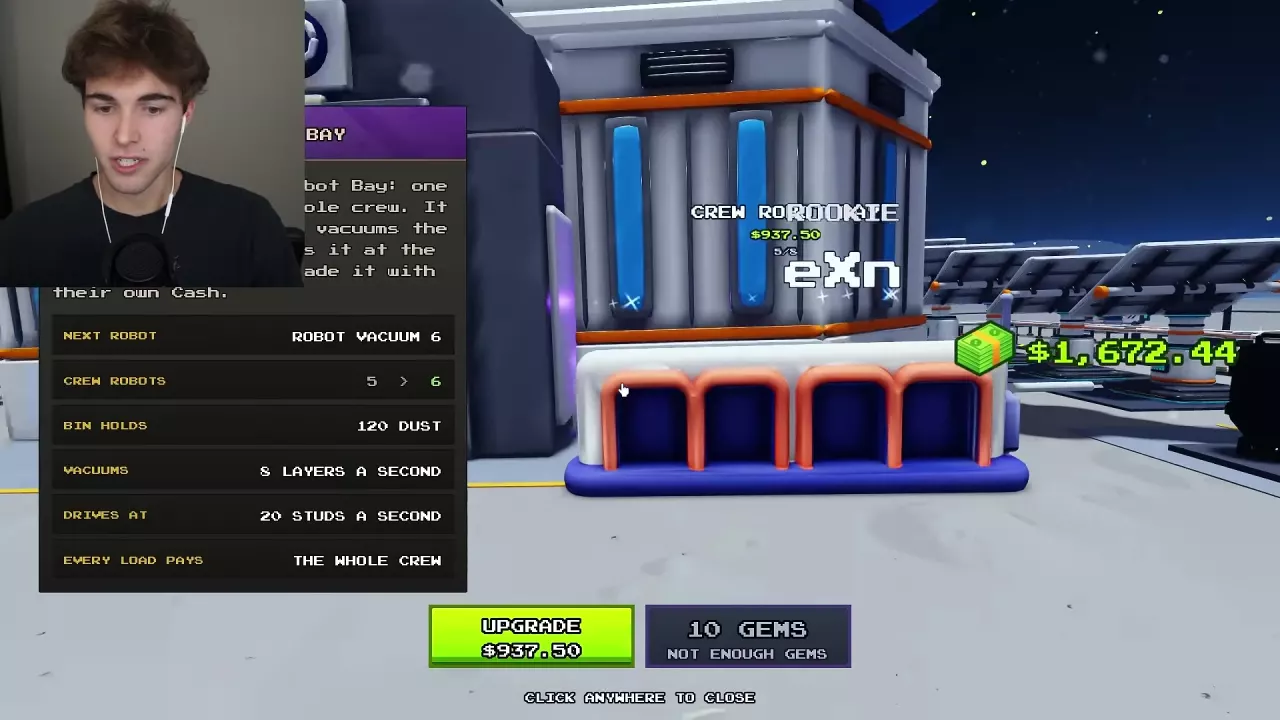
Crew Robot Bay offers a sixth robot for $937.50 or 10 Gems.

Sweep The Moon Gems: Zone Rewards and Spending Choices

Completing Zone 1 can award Gems; one completion awarded 8 Gems as Zone 2 opened.

Compare the current Cash alternative before spending:

  • Crew Robot Bay: A 10-Gem option includes the fifth-to-sixth robot upgrade, whose Cash alternative is 937.50 Cash.
  • Crew Drone Pad: A 20-Gem option is available for the second, third, and fourth drones; their Cash prices are 400, 640, and 1,024 Cash, respectively.
  • Vehicles: Gem purchases of Cleaning Rover, Dust Carrier, and Cleaning UFO last for the current run only.

Use affordable Cash alternatives to preserve Gems for purchases that are harder to fund.
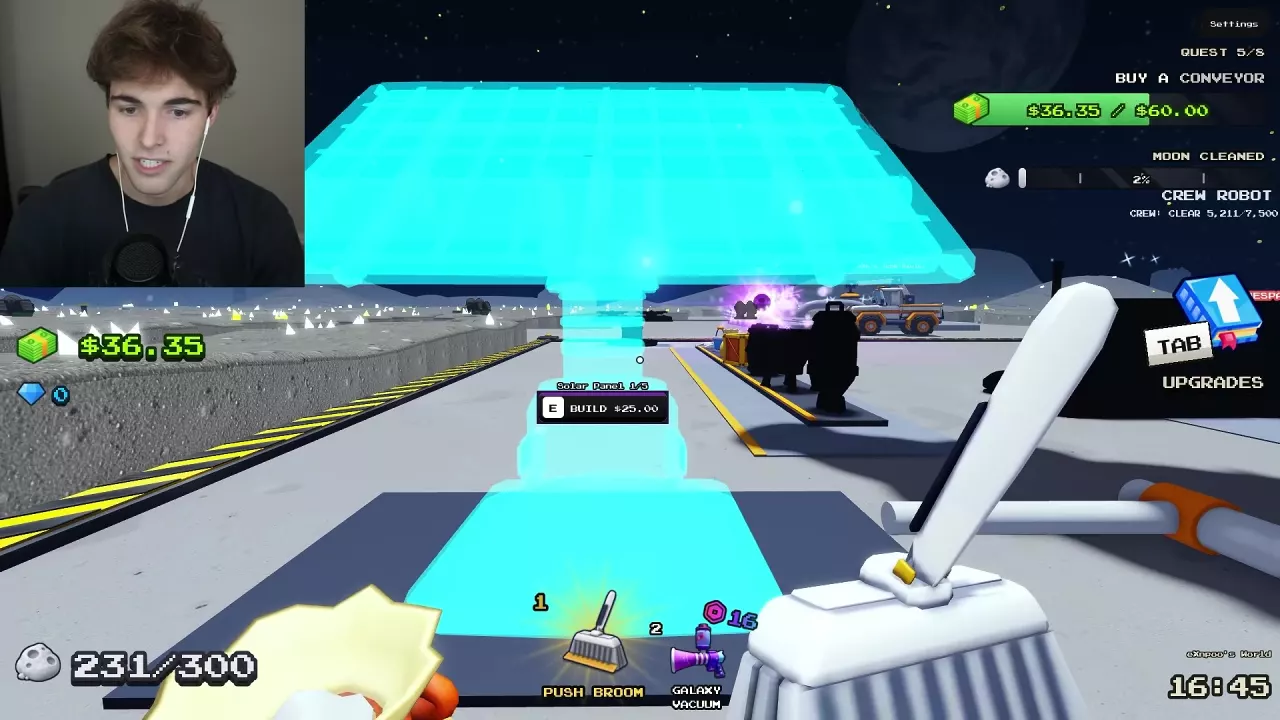
Blue Solar Panel construction preview with the E prompt and 25 Cash price.

Sweep The Moon Passive Income: Solar Panels and Oxygen Garden

Start with the first Solar Panel when Cash is tight.

Starting investment Cost Starting income
First Solar Panel 25 Cash 0.50 Cash every 5 seconds to each crew member
Oxygen Garden + first plant 290 Cash: 250 for access + 40 for the plant 0.05 Cash per second from that plant

Buying the garden opens access to the crew; plants cost extra. For later expansion, compare the next purchase with the income it adds: panel payouts are totals for the panel count, while plant rates describe individual plants.

Locations & Landmarks

BUY A DRONE pad beside the capacity displays at the base

Sweep The Moon Locations: Base Services, Zones and Landmarks

  • Handheld equipment: Follow the ground arrows to GEAR and look for TOOLS and the capacity displays inside the base.
  • Base unloading: Follow SELL to the green pad beside the Lunar Converter.
  • Crew robots: Find Crew Robot Bay outside the base.
  • Crew drones: Look for BUY A DRONE at the base.
  • Vehicle charging: Return to the corresponding base bay or charging position.

Use the displayed directional names to distinguish conveyor routes and Radio Towers.
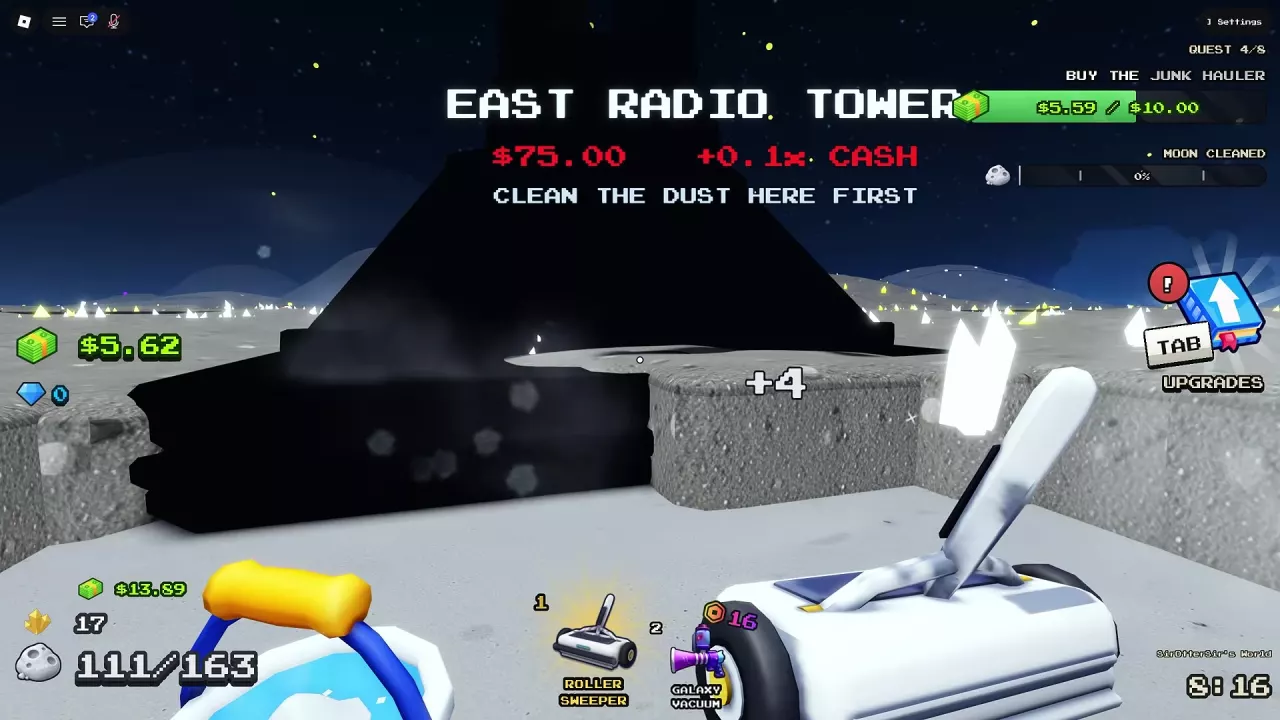
East Radio Tower with dust around its base and a clear-dust-first activation message.

Sweep The Moon Radio Towers and Big Digger Cash Bonuses

Clear the dust around a tower before paying to activate it. When reachable, prioritize East and South-West for their lower cost and larger individual sale bonuses.

Radio Tower Activation cost Addition to each crew sale
East 75 Cash +0.1x Cash
South-West 75 Cash +0.1x Cash
North-West 3,000 Cash +0.03x Cash

All three together give a +0.23x LANDMARKS total; North-West adds +0.03x to the two cheaper towers’ combined +0.2x.
Events & Activities

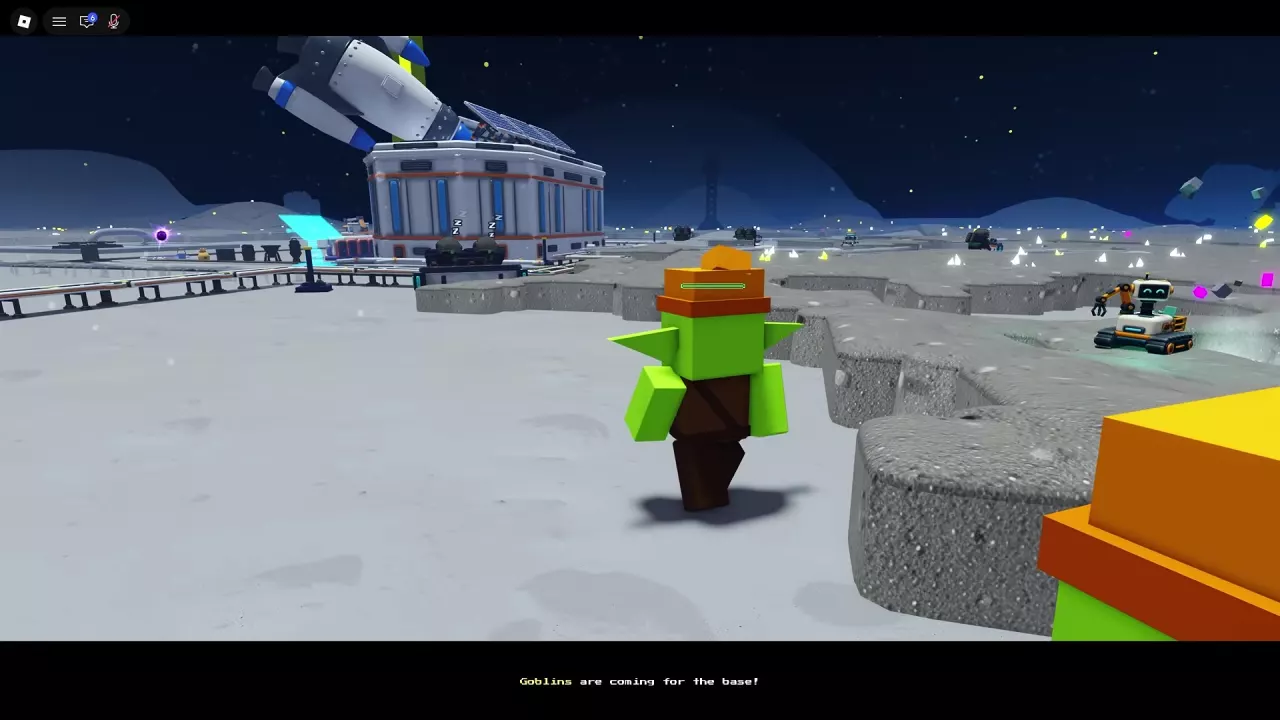
A goblin approaches the base as a raid warning appears.

Sweep The Moon Goblin Raids: Defend the Base and Wake Guards

Return to the Outpost during a Goblin Raid and equip your Ray Gun from the hotbar. Shoot approaching goblins, watch multiple entrances, and protect the Lunar Converter. Escaping goblins can take Dust and Cash, and attackers can damage equipment.

Wake Moon Guards by approaching sleeping guards, pressing E at WAKE UP, and paying the displayed Cash price. Prices differ between offers. Awakened guards protect the crew for the rest of the current run; cover remaining exposed approaches yourself.
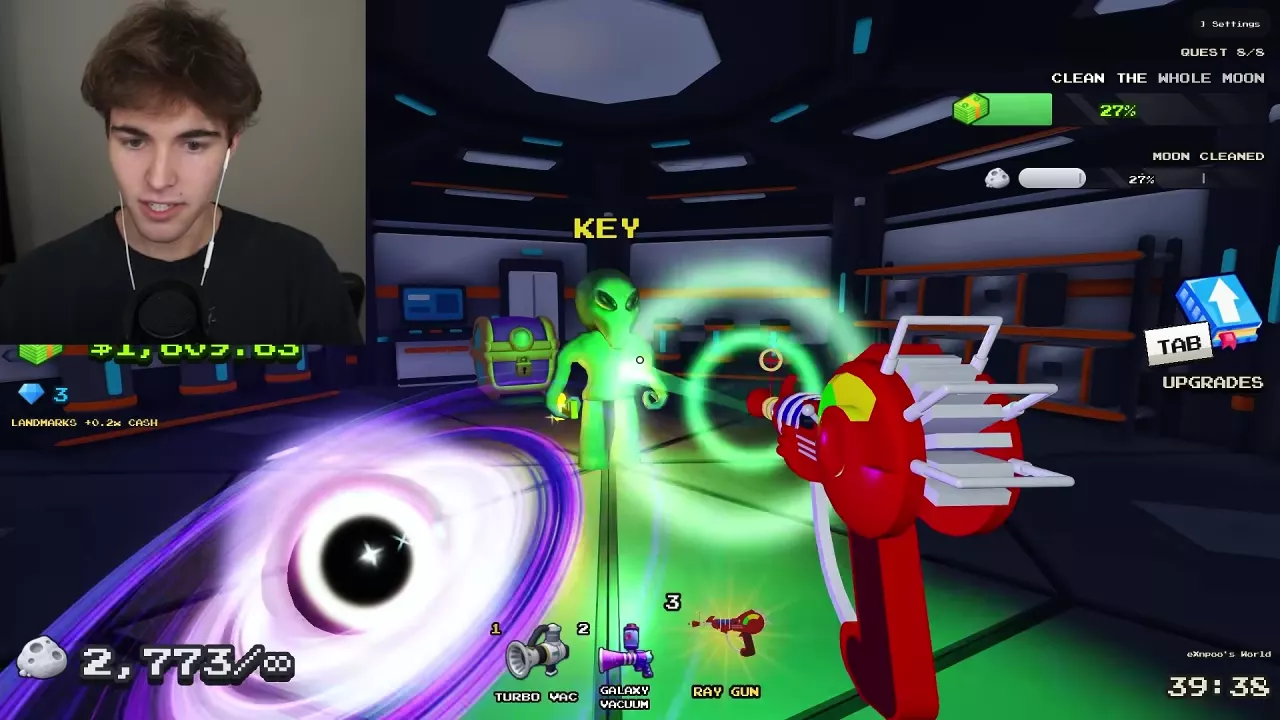
A player aims a Ray Gun at a KEY-marked alien inside the UFO.

Sweep The Moon UFO Event: Golden Key, Chest and Escape

  1. Fight the aliens. Follow the landed UFO’s green beam and use your Ray Gun.
  2. Wait for the Golden Key announcement. Once one player finds it, anyone can open the internal treasure chest, and every player can receive treasure. Separate keys are unnecessary.
  3. Claim and leave. Press E — OPEN at the Alien Treasure Chest, then exit immediately. Opening it starts a 10-second self-destruct countdown.

Sweep The Moon Meteor Merchant: Stock, Prices and Deployment

Meteor Merchant’s announced visit lasts 240 seconds. Approach and press E to open the shop before the countdown expires.
  • Check your stock: Inventory is tracked separately for each player, and offers differ between visits. Buying an offer with one unit available for you can make that listing Sold Out for you.
  • Deploy your purchase: Bought robots and drones enter your hotbar. Select the unit, then click a dust-covered area to place it. Press its hotbar key again to cancel before placement.

Progression & Completion

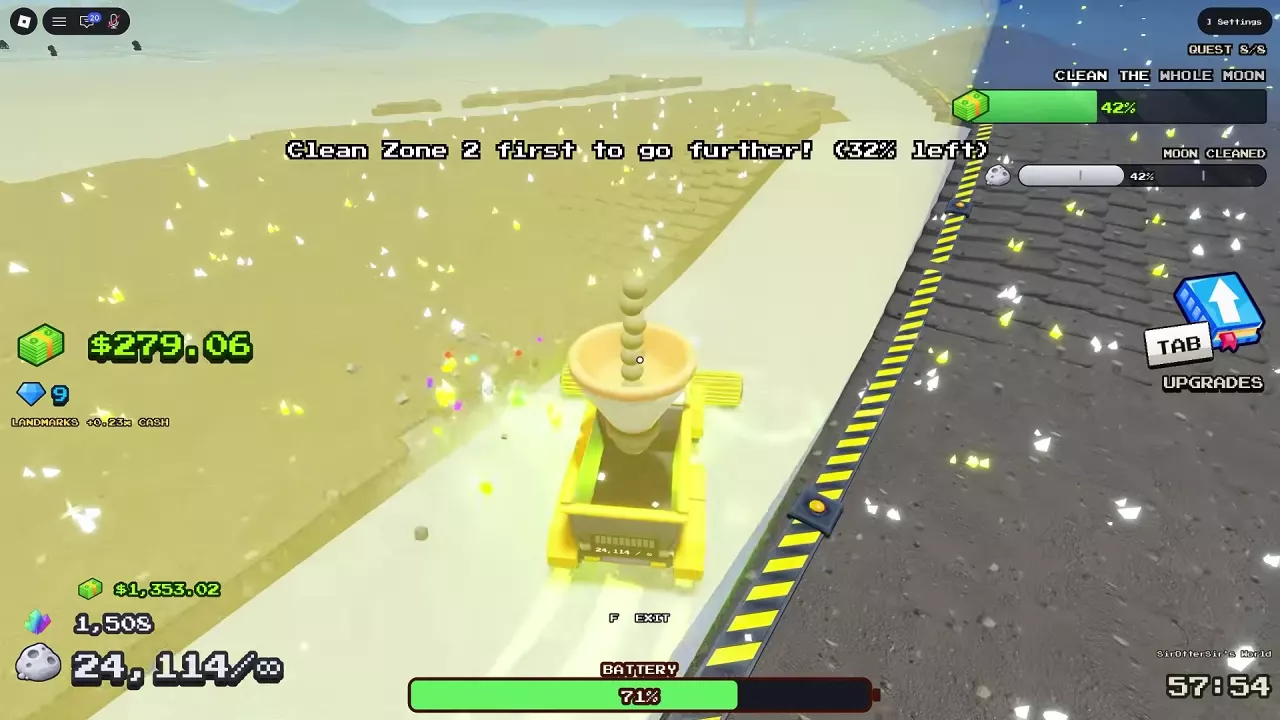
Zone 2 barrier showing 32% left while Moon Cleaned shows 42%.

Sweep The Moon Progression: Unlock Zones, Reach 100% and Exit

  1. Finish the zone named by the barrier. Clear its remaining patches, including gaps between automated routes. A barrier’s percentage shows dust remaining in that zone; Moon Cleaned measures completion across the whole moon.
  2. Continue to 100% Moon Cleaned. Clean the final area and visible leftovers. Reaching the final tutorial objective does not itself complete the moon.
  3. Enter the open Hatch on foot. At 100%, the Hatch opens and Clean Sweep is awarded. Follow HATCH, press F to leave your vehicle, and walk inside. Vehicles cannot enter.

Sweep The Moon Badges and Unlock Requirements

  • Dust Devil: Sweep 1,000 kg of moon dust across all moons combined. You do not need the entire amount on one moon; this cumulative weight is different from a moon’s cleaning percentage.
  • Factory Floor: Build either a Crusher or a Block Press. Building both is unnecessary.

Co-op

Sweep The Moon Co-op: Shared Income, Facilities and Crew Roles

Clean the same moon with up to four friends. Any crew member can spend their own Cash on shared robot or drone expansion, and those units’ sold loads pay the whole crew.

  • Divide the work: Keep cleaning underway while another player handles construction, accessible landmarks, processing queues, and raids. Combine support jobs in a smaller crew.
  • Share Head Start’s sweeper: Crew members can drive it, but it appears only when an empty vehicle bay is available.
  • Keep personal benefits separate: 2x Cash boosts its owner’s eligible earnings, including their automation share; it does not grant the pass to every teammate.

Game Passes

Sweep The Moon Game Passes: Prices, Benefits and What to Buy

  • Infinite Canister — 99 Robux: Removes your back-canister storage limit. You still need to empty it at the intake to receive Cash.
  • Sell As You Sweep — 249 Robux: Includes Infinite Canister and pays immediately as dust enters your canister or a vehicle you drive sweeps. Shopping still requires returning to the base.
  • Everything — 649 Robux: If you own no passes and want every benefit, it costs 445 Robux less than the 1,094 Robux total for separate purchases that avoid overlapping Infinite Canister coverage.

All eight game passes are permanent and work on your own and friends’ moons. Personal benefits retain their owner conditions.
Merchant Robot Tier List

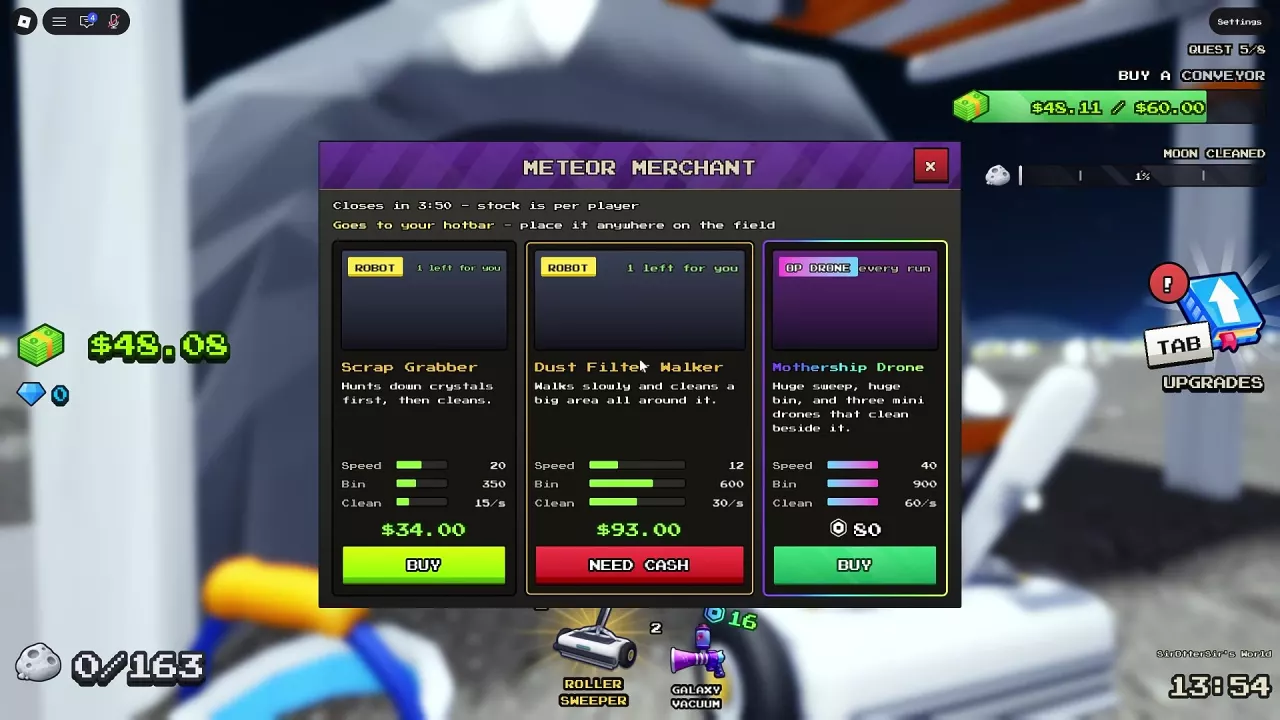
Meteor Merchant shop with a departure countdown, personal stock and Cash purchase buttons.

Sweep The Moon Merchant Robot Tier List for Cash Cleaning

For ordinary dust cleaning on a Cash budget, prefer Comet Crawler over Sweep Buddy when both are in stock.

Merchant listing Comet Crawler Sweep Buddy
Price 22 Cash 26 Cash
Dust capacity 400 Dust 250 Dust
Listed cleaning rate 25/s 12/s

Choose by specialty when your goal changes: Scrap Grabber costs 34 Cash and searches for crystals before cleaning. Dust Filter Walker costs 93 Cash and suits a larger budget when you want broad cleaning around the unit. Availability depends on the merchant’s current offers and your personal stock.

Updates

Scripts

School Hub

A Sweep The Moon script interface for launching Moon runs and automating cleaning and selling.

Recent articles

FAQ

Does unlimited storage automatically sell my dust?

No. Infinite Canister removes your back-canister limit but still requires emptying at the intake. Sell As You Sweep includes that benefit and adds immediate payment for your collected dust and vehicles you drive. Compare the game passes.

Why is a zone still blocked when Moon Cleaned has increased?

The barrier checks the zone named in its message, while Moon Cleaned tracks the whole moon. Return to that zone and clear its remaining dust; the percentage marked “left” is its remainder, not an unlock threshold. Follow the zone progression steps.

Do I need to sweep all 1,000 kg for Dust Devil on one moon?

No. Dust Devil counts 1,000 kg across all moons combined. Clean Sweep instead requires cleaning one moon to 100%. These are separate goals in the badge requirements.