Sweep theMoonWIKI

Sweep The Moon Robots: Crew Bay, Prices and Deployment

Last updated:

Robots can collect dust for your crew, clean broad areas, or prioritize crystals. Choose a robot for the job, then use its acquisition and deployment method to get it working.

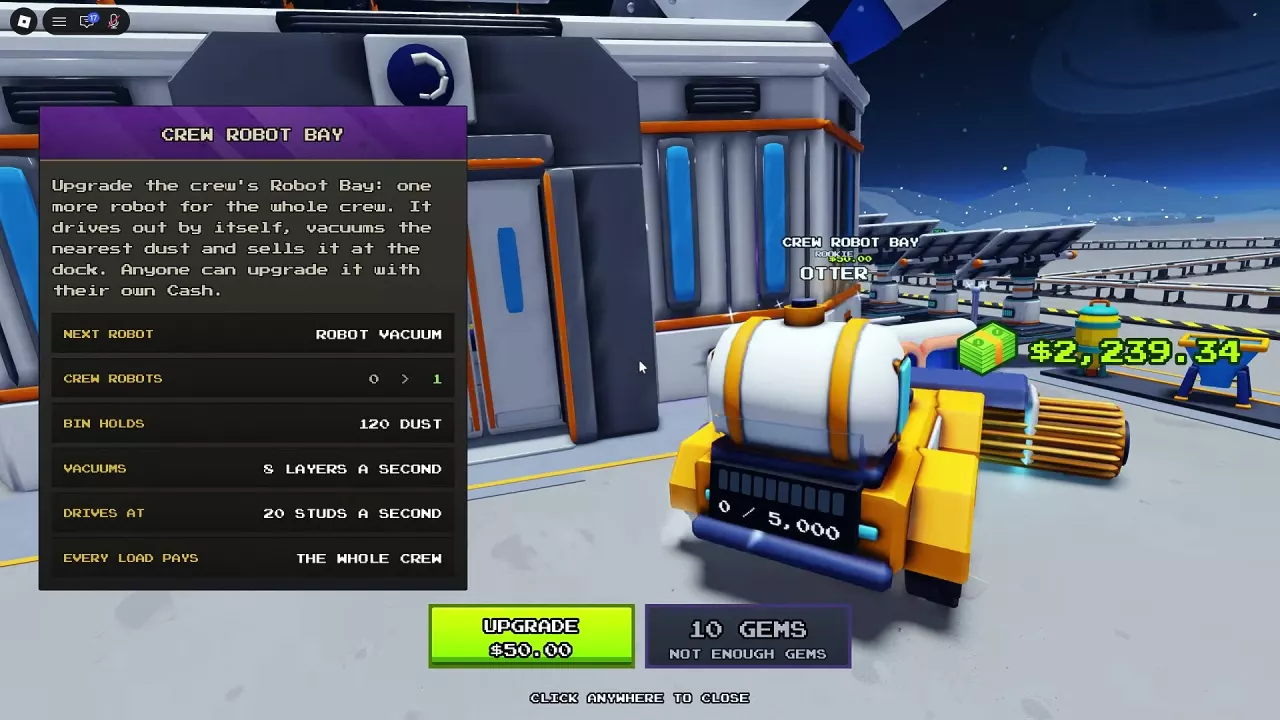
Crew Robot Bay menu with the first robot's $50 upgrade button and shared payout description.

Quick answer

Spend personal Cash at Crew Robot Bay to add shared Robot Vacuums, up to eight. They collect nearby dust and automatically return to sell it for the whole crew. Merchant and encounter robots need hotbar placement on dust. Choose Comet Crawler for budget cleaning, Dust Filter Walker for broad coverage, or Scrap Grabber for crystal-first behavior.

Directory

7 objects

Crew, merchant and encounter robots with acquisition methods and deployment behavior.

Robot Vacuum

Crew Robot · Robot Vacuum 3 · Robot Vacuum 6

Type
Shared crew robot
Acquisition
Crew Robot Bay upgrade
Price
—
Working behavior
Automatically travels to the nearest dust, collects it and returns to the dock to sell.
Deployment
—
More details
Capacity
120 Dust
Movement speed
20 studs/s
Sweep rate
6 layers/s (Crew Robot Bay menu during the zero-to-four-robot purchase sequence.)
Sweep rate
8 layers/s (First-, third- and sixth-robot menus.)
Load payout
Pays the whole crew
Added through upgrades at
1 × Crew Robot Bay (Each completed upgrade adds one shared robot.)
Scrap Grabber

Type
Deployable robot
Acquisition
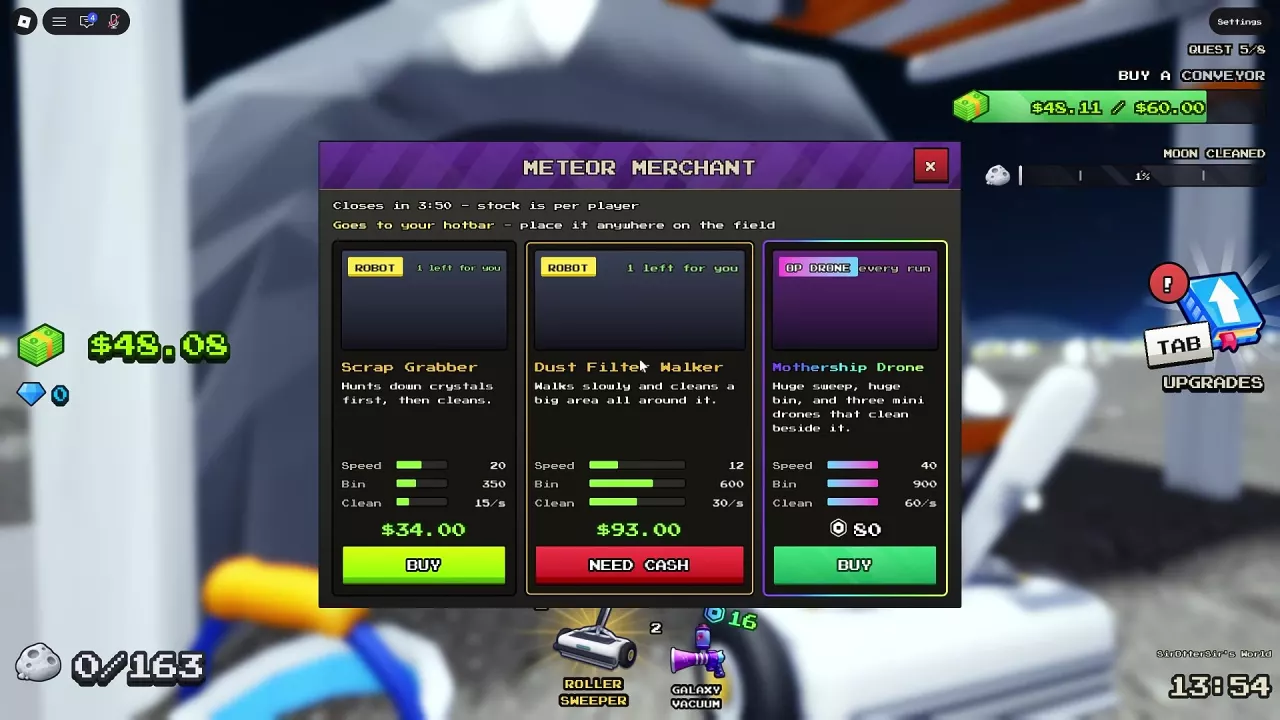
Meteor Merchant (When offered in stock.)
Price
34 Cash
Working behavior
Searches for crystals before cleaning.
Deployment
Select from the hotbar and click a dust-covered area.
More details
Movement speed
20
Capacity
350 Dust
Cleaning rate
15 /s
Personal stock
1 robot (Merchant offer with one unit available per player.)
Sold by
Meteor Merchant (When offered in stock.)
Prioritizes searching for
Crystal (Before cleaning.)

Dust Filter Walker

Type
Deployable robot
Acquisition
Meteor Merchant (When offered in stock.)
Price
93 Cash
Working behavior
Walks slowly while cleaning a large area around itself.
Deployment
Select from the hotbar and click a dust-covered area.
More details
Movement speed
12
Capacity
600 Dust
Cleaning rate
30 /s
Personal stock
1 robot (Merchant offer with one unit available per player.)
Sold by
Meteor Merchant (When offered in stock.)

Comet Crawler

Type
Deployable robot vacuum
Acquisition
Meteor Merchant (When offered in stock.)
Price
22 Cash
Working behavior
A fast robot vacuum with a large storage bin.
Deployment
Select from the hotbar and click a dust-covered area.
More details
Movement speed
26
Capacity
400 Dust
Cleaning rate
25 /s
Personal stock
1 robot (Merchant offer with one unit available per player.)
Sold by
Meteor Merchant (When offered in stock.)

Sweep Buddy

Type
Deployable cleaning robot
Acquisition
Meteor Merchant (When offered in stock.)
Price
26 Cash
Working behavior
Automatically sweeps dust after deployment.
Deployment
Select from the hotbar and click a dust-covered area.
More details
Movement speed
22
Capacity
250 Dust
Cleaning rate
12 /s
Personal stock
1 robot (Merchant offer with one unit available per player.)
Sold by
Meteor Merchant (When offered in stock.)

Scrub Rover

Type
Deployable cleaning robot
Acquisition
—
Price
—
Working behavior
Starts cleaning after deployment.
Deployment
Select from the hotbar and click a dust-covered area.
More details
Deployment confirmation
Scrub Rover is on the job

Alien Robot

Type
Deployable encounter robot
Acquisition
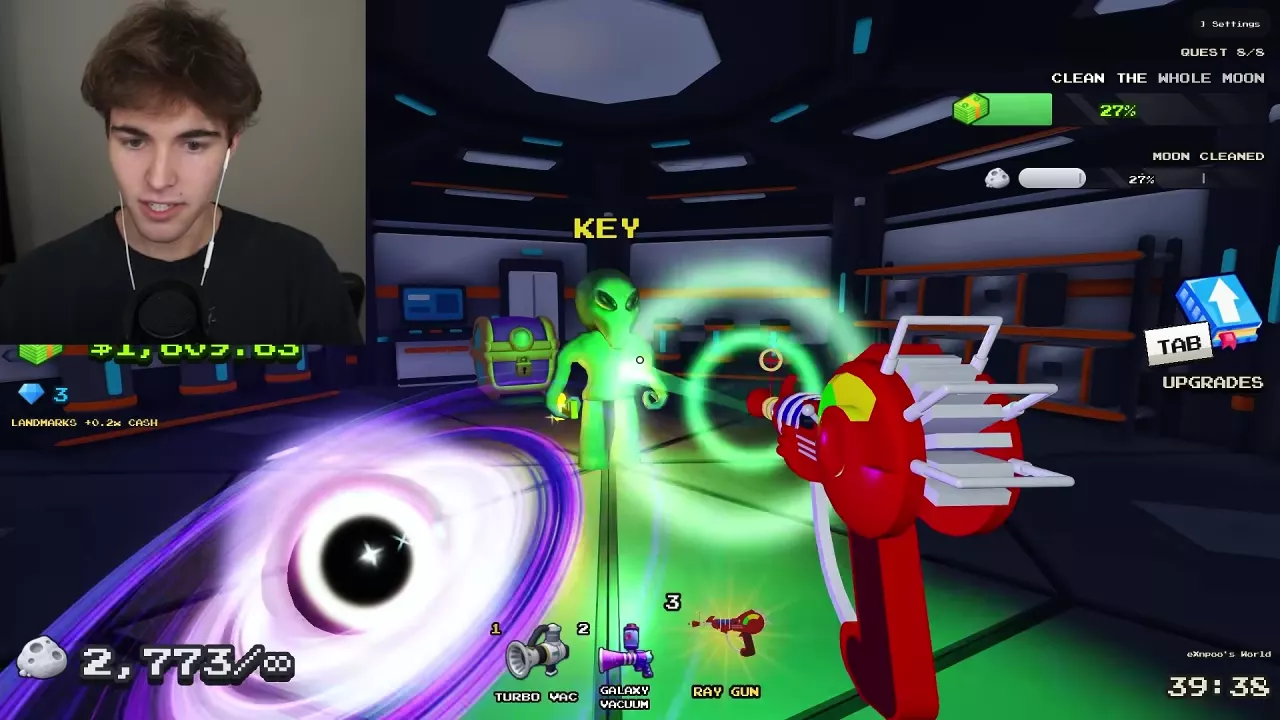
Discovered after a UFO encounter and added to the hotbar.
Price
—
Working behavior
Automatically cleans the surrounding moon dust. (After placement.)
Deployment
Select from the hotbar and place anywhere on moon dust.
More details
Discovered after
UFO Encounter

Robot Types, Prices and Jobs

Get shared Robot Vacuums through Crew Robot Bay outside the base. For individually deployable robots, buy Scrap Grabber, Dust Filter Walker, Comet Crawler, or Sweep Buddy when Meteor Merchant stocks them. Alien Robot can be discovered after a UFO encounter; Scrub Rover starts cleaning once deployed from your hotbar.

Meteor Merchant stays for 240 seconds, with stock tracked separately for each player. Purchased robots enter your hotbar. See the Meteor Merchant guide for the shop's stock, currencies, and purchasing details.

  • Robot Vacuum

    Type
    Shared crew robot
    Acquisition
    Crew Robot Bay upgrade
    Capacity
    120 Dust
    Movement speed
    20 studs/s
    Sweep rate
    6 layers/s (Crew Robot Bay menu during the zero-to-four-robot purchase sequence.)
    8 layers/s (First-, third- and sixth-robot menus.)
    Working behavior
    Automatically travels to the nearest dust, collects it and returns to the dock to sell.
    Load payout
    Pays the whole crew
  • Scrap Grabber

    Acquisition
    Meteor Merchant (When offered in stock.)
    Price
    34 Cash
    Movement speed
    20
    Capacity
    350 Dust
    Cleaning rate
    15 /s
    Personal stock
    1 robot (Merchant offer with one unit available per player.)
    Working behavior
    Searches for crystals before cleaning.
    Deployment
    Select from the hotbar and click a dust-covered area.
  • Dust Filter Walker

    Acquisition
    Meteor Merchant (When offered in stock.)
    Price
    93 Cash
    Movement speed
    12
    Capacity
    600 Dust
    Cleaning rate
    30 /s
    Personal stock
    1 robot (Merchant offer with one unit available per player.)
    Working behavior
    Walks slowly while cleaning a large area around itself.
    Deployment
    Select from the hotbar and click a dust-covered area.
  • Comet Crawler

    Acquisition
    Meteor Merchant (When offered in stock.)
    Price
    22 Cash
    Movement speed
    26
    Capacity
    400 Dust
    Cleaning rate
    25 /s
    Personal stock
    1 robot (Merchant offer with one unit available per player.)
    Working behavior
    A fast robot vacuum with a large storage bin.
    Deployment
    Select from the hotbar and click a dust-covered area.
  • Sweep Buddy

    Acquisition
    Meteor Merchant (When offered in stock.)
    Price
    26 Cash
    Movement speed
    22
    Capacity
    250 Dust
    Cleaning rate
    12 /s
    Personal stock
    1 robot (Merchant offer with one unit available per player.)
    Working behavior
    Automatically sweeps dust after deployment.
    Deployment
    Select from the hotbar and click a dust-covered area.
  • Scrub Rover

    Type
    Deployable cleaning robot
    Deployment
    Select from the hotbar and click a dust-covered area.
    Deployment confirmation
    Scrub Rover is on the job
    Working behavior
    Starts cleaning after deployment.
  • Alien Robot

    Acquisition
    Discovered after a UFO encounter and added to the hotbar.
    Deployment
    Select from the hotbar and place anywhere on moon dust.
    Working behavior
    Automatically cleans the surrounding moon dust. (After placement.)

Expand Crew Robot Bay

Any crew member can spend their own Cash to add a shared robot. Each upgrade adds one Robot Vacuum, and the bay holds up to eight robots.

  1. Approach Crew Robot Bay outside the base.
  2. Press E to open the Robot Vacuum menu.
  3. Choose UPGRADE and pay the price for the next robot.
  4. Let the new robot work automatically; no hotbar placement is needed.
Robot added Cash cost for that robot
First $50
Second $75
Third $150
Fourth $600
Fifth $750
Sixth $937.50

The menu also offers a 10 Gems upgrade option, including the upgrade from five robots to six. Use that option when it is available and you have enough Gems.

Each Robot Vacuum seeks the nearest dust, collects it, returns to the dock, and sells its load. Every load pays the whole crew, so one player's purchase supports everyone's income. To combine robots with other facilities, follow the automation setup guide.

Crew Robot Bay menu with the first robot's $50 upgrade button and shared payout description.

Place Robots from Your Hotbar

For a merchant robot or another deployable robot already in your hotbar:

  1. Select the robot's hotbar slot.
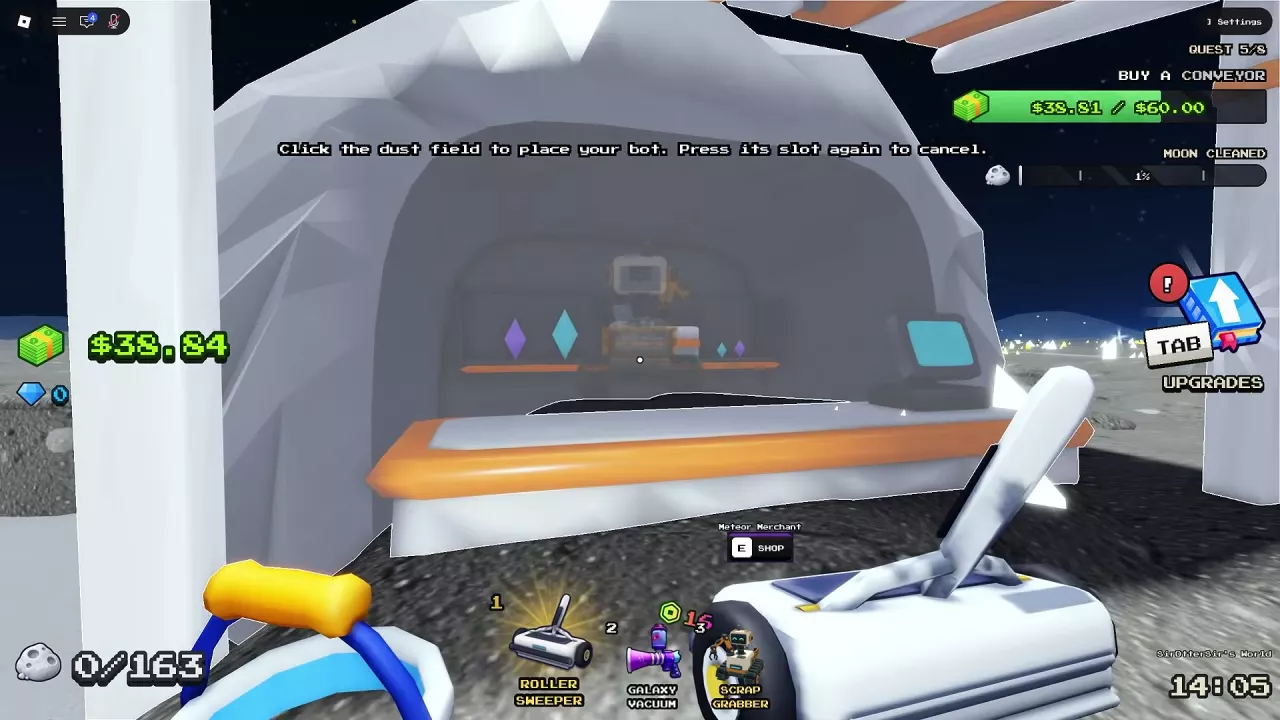
  2. Aim at a dust-covered area and click to place it.
  3. Continue playing while the robot cleans.

To cancel before placing it, press the same hotbar slot again. This exits placement mode.

For Scrub Rover, “Scrub Rover is on the job” confirms that deployment succeeded.

Scrap Grabber in the hotbar with instructions to click dust to place it or press its slot again to cancel.
  • Shared automatic income — Crew Robot Bay. Choose Robot Vacuums when you want collection and selling handled automatically for the whole crew. The first robot costs $50.
  • Budget cleaning — Comet Crawler. Prefer it over Sweep Buddy when both are available: it costs less while offering higher listed movement speed, capacity, and cleaning rate. That makes it the stronger basic cleaning purchase on those attributes.
  • Broad coverage — Dust Filter Walker. Choose it for cleaning a large area around itself. Its slow movement suits this coverage-focused role, while its larger bin supports collecting more dust before filling.
  • Crystal search — Scrap Grabber. Choose it specifically for its priority of searching for crystals before cleaning. Buy it from Meteor Merchant and use the hotbar placement steps above.
  • An available alternative — Sweep Buddy. Consider it when Comet Crawler is unavailable and you want another robot to sweep dust automatically.

For the full comparison of the four Cash-priced merchant robots, see the merchant robot tier list.

Luck in General upgrades improves the separately labeled rare-ore bonus in dust. Use Scrap Grabber for crystal-priority behavior and Luck upgrades for that rare-ore bonus.

Alien Robot and the Robot Dock Pass

Alien Robot

Alien Robot can be discovered after a UFO encounter and added to your hotbar. Once you have it, select its slot and place it on moon dust to clean the surrounding area automatically. For the encounter's combat, key, chest, and escape steps, use the UFO event guide.

Robot Dock

The +1 Robot Dock pass costs 149 Robux and permanently lets you place one small Robot Dock for free in every moon you play, including a friend's moon. Its robots clean for the whole crew.

Pick up the dock to place it again for free. This is a separate placeable facility from the Crew Robot Bay, where you buy additional shared Robot Vacuums. Compare the pass with other permanent benefits in the game pass guide.

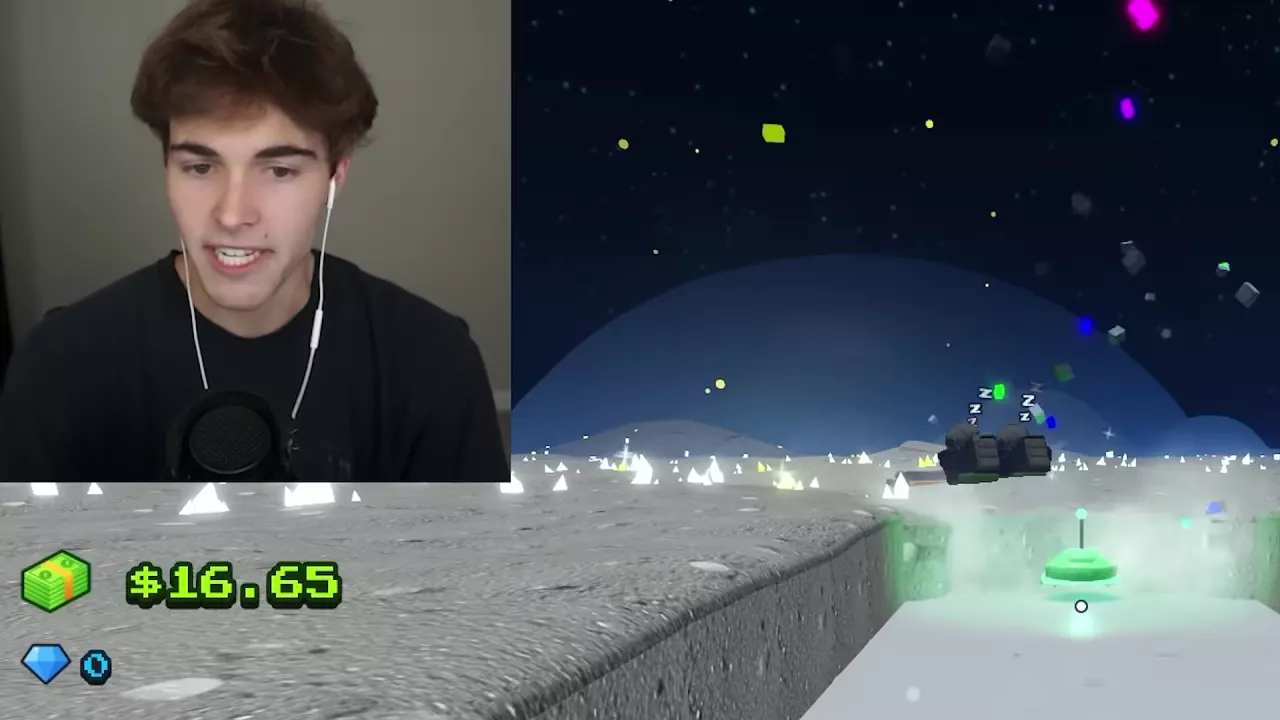
A green Alien Robot working in a cleared strip beside raised moon dust.