
Sweep The Moon Leaderboards: Fastest Runs and Top Cleaners
Last updated:
The Sweep The Moon leaderboards let you compare completion times and cleaning totals after leaving a completed moon.
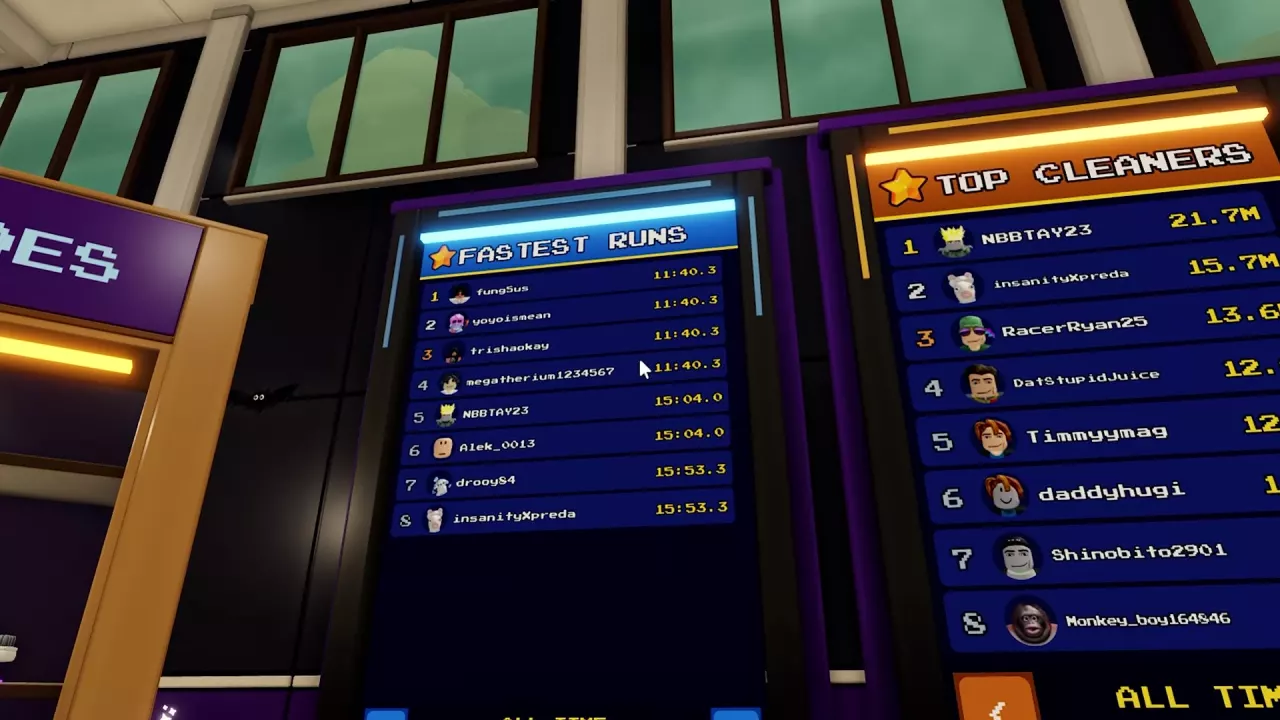
Find the Boards After Leaving the Moon
- Clean the moon until Moon Cleaned reaches 100% and the Hatch opens.
- Follow the HATCH direction marker to the entrance.
- If you are in a vehicle, press F to exit, then walk into the Hatch. Vehicles cannot enter.
- After leaving the moon, look for the Fastest Runs and Top Cleaners boards.
Still working toward completion? Follow the progression guide to unlock zones and clear the remaining dust.

Fastest Runs and Top Cleaners
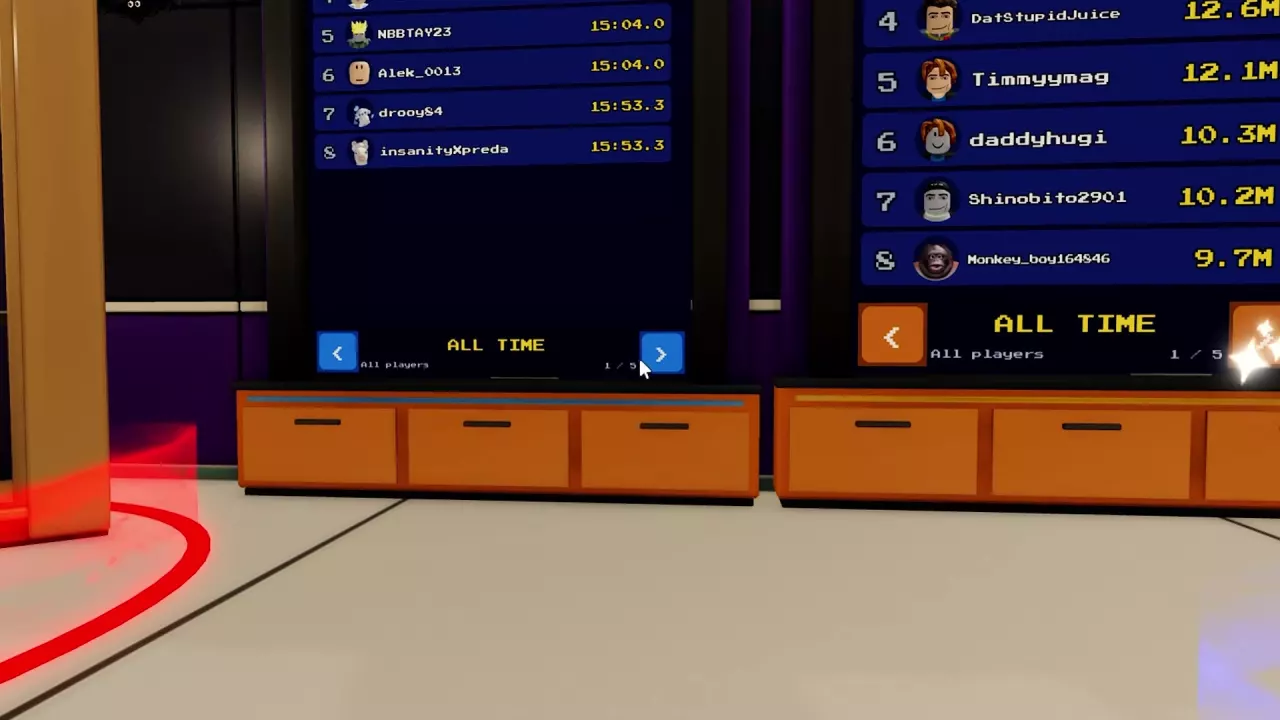
Choose Fastest Runs to compare completion times, or Top Cleaners to compare cleaning quantities. Both boards display the All Time and All players labels.
Browse Fastest Runs
Use the left and right arrows at the bottom of Fastest Runs to move between ranking pages.
The MOON CLEAN! results screen also shows a SOLO BEST time. That personal result is separate from the public Fastest Runs board.
Related guides
Sweep The Moon Progression Guide: Unlock Zones, Reach 100% and Exit
Progress through Sweep The Moon with practical upgrade choices, zone barrier instructions, remaining dust cleanup, and the steps to enter the Hatch at 100%.

Sweep The Moon Badges and Unlock Requirements
Find all five Sweep The Moon badge requirements, from your first sale to 1,000 kg of dust and a completely clean moon.